 26Sep

Start voltage stabilizer troubleshooting by recording the model, the exact display or alarm, the time, and what the load was doing. If the unit smokes, smells burnt, shows damage, or trips repeatedly, follow your site’s stop-use and reporting procedure and leave further checks to qualified personnel.
Two units can both show no output after power returns. One may be counting down a start delay. The other may have cut off its output in response to a condition outside its limits. This guide helps you tell those situations apart using the display, the model manual, and a short event record.
Key takeaways
- Record the exact words, symbols, and labels on the panel before the screen changes.
- Check whether a number refers to input, output, or a set value.
- Use the manual for the installed model and options to interpret a delay or alarm.
- Send the event sequence, load state, and equipment details to the person responsible for service.
Voltage stabilizer troubleshooting starts with the display
Know when to stop
Begin voltage stabilizer troubleshooting from a safe position with the enclosure closed. If there is smoke, a burning smell, visible damage, or repeated operation of a protective device, stop using the equipment under your site procedure. Keep clear of the equipment if approaching it would put you at risk. Report the condition through the site’s emergency or maintenance channels.
A dark display provides no assurance that the circuit is safe to touch. Record the state from outside the unit if it is safe to do so. Leave enclosure access, electrical testing, isolation verification, and any decision to restore power to qualified personnel following the applicable procedure. In the United States, OSHA addresses testing and reenergizing circuits after protective operation in its rules for using electrical equipment.
Record before anything changes
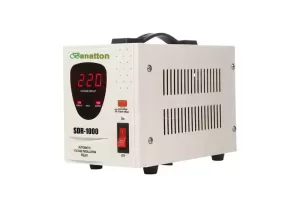
Write down the exact label beside each number. If the panel scrolls through different screens, note which screen was visible at the time of the event. An input reading describes what the display reports about the supply. An output reading describes what it reports about the unit’s output.
Useful voltage stabilizer troubleshooting records give the sequence as well as the values. For example, note whether an alarm appeared before the load stopped or only after power returned. Use the local time and identify the equipment tag so a technician can line up your note with the correct production or facility log.
When several similar units share a room, record which one serves the affected load. Look for the model on an accessible nameplate, an asset register, or the order paperwork. A model family name may cover several configurations. Include any suffixes so the service team can find the correct document. Banatton voltage stabilizer catalog.
For help identifying the relevant model information, send Banatton the nameplate details and the exact alarm text. Include the time and the load state if you have them.
Diagnose no display, no output, or delayed output
Start with the symptom you can confirm
Start the voltage stabilizer troubleshooting note with what you saw. Write “screen blank” or “output indicator off” as appropriate. Keep your explanation in a separate field.
If other equipment stopped at the same time, record it. That information can help the service team decide where to look first.
| Symptom | What to record from a safe position | What to look up or report |
|---|---|---|
| Display blank | Which indicators are visible and whether other equipment lost power | Report the blank display and any wider outage to the site team |
| Display on and no output reported | Input and output labels, operating mode, and any alarm text | Check the model’s delay and protection descriptions |
| Countdown after power returns | When the countdown appeared and how the status changed | Compare with the configured delay in the matching manual |
| Protection stays active | Exact message and load state when it appeared | Give the fault record to the responsible service team |
| Displayed output looks unusual | Displayed value, units, mode, and phase label where shown | Ask a qualified technician to verify the reading against the model limits |
During voltage stabilizer troubleshooting, an output value on a display and a separate electrical measurement serve different purposes. Label a panel reading as displayed. If someone has already taken an approved measurement, identify its location, time, and source. This makes clear which readings can be compared.
For a voltage stabilizer troubleshooting handoff, record which loads have stopped. The panel may show a status while the downstream equipment gives a different symptom. Include both observations and who made them. A clear note might say that the stabilizer display was on, the machine screen was blank, and nobody had yet confirmed the output.
Check the model’s description of a delay
A documented delay may hold the output off after power returns. Check the manual for the installed unit and ask which settings apply. As one model-specific example, an HPCS servo stabilizer manual describes an output delay of about 10 seconds with the input inside the specified range. The timing belongs to the equipment described in that manual.
Illustrative scenario. After a supply interruption, an operator finds the panel on and the load off. A countdown is visible. The operator notes when it appeared and records the next display state without changing settings.
The shift lead compares that sequence with the installed unit’s manual before deciding whether to escalate.
If the expected status never appears or an alarm remains, add that fact to the voltage stabilizer troubleshooting record. Leave reset and return-to-service decisions to the people responsible for the equipment. The general voltage stabilizer selection guide explains why input ranges and controls vary by design.
Voltage stabilizer troubleshooting for trips and abnormal output
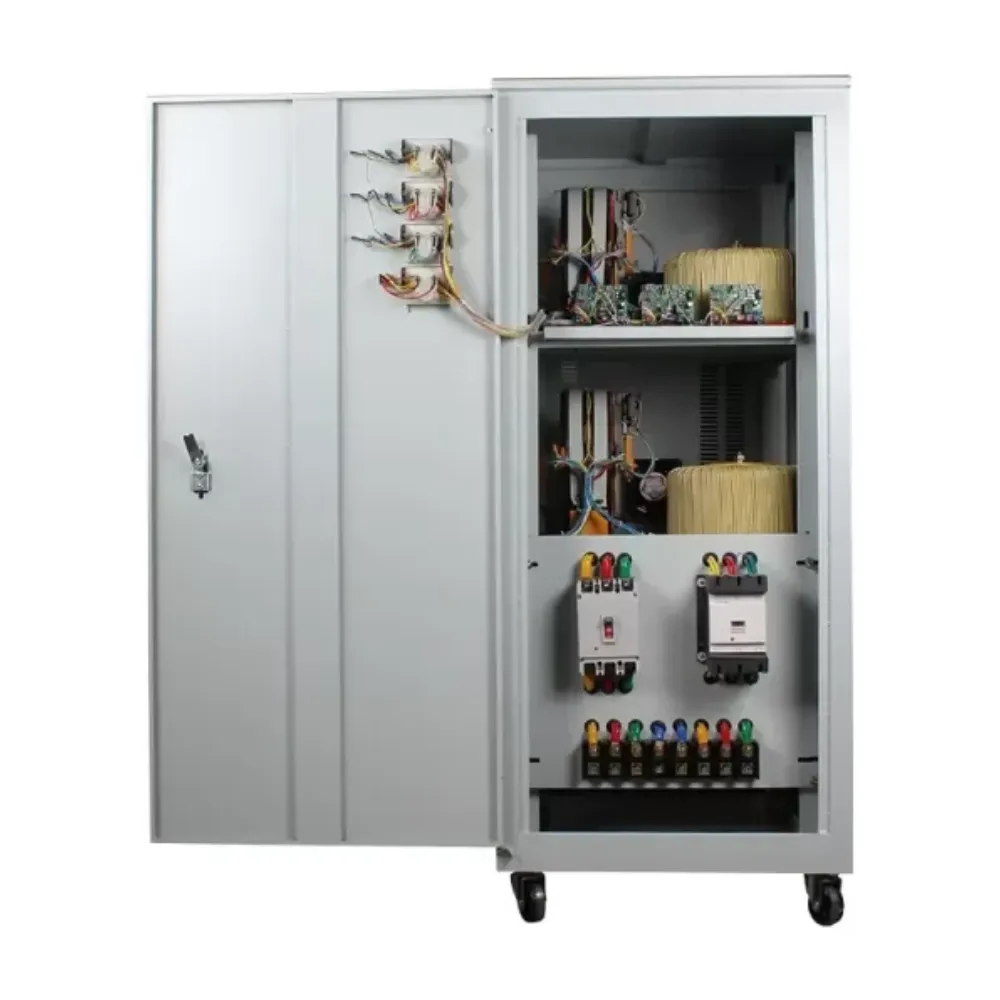
Record trips that follow a load change
Write down which loads were running, which one started or stopped, and whether the trip happened during or after that change. If a second machine starts at the same time every day, include its schedule. The service team can use the timing to compare the supply record with the load and protection records.
Illustrative scenario. A workshop reports a trip when a second machine starts. The first machine was still operating. The operator logs both states and keeps the message shown on the stabilizer.
A technician can then assess whether to investigate startup demand, the supply, or the equipment’s protection settings through the approved process.
For voltage stabilizer troubleshooting around load changes, a rating printed in kVA is one part of the record. Include the model, the operating state, and any existing approved demand data. A technician or supplier can compare continuous demand and brief peaks with the model’s capacity and protection information. Industrial stabilizer buying guide.
For voltage stabilizer troubleshooting, also distinguish the unit’s alarm from the device that cut power. The operator may see the stabilizer panel go dark after an upstream device operates. In that case, write down which event you saw first and where it was reported.
If the sequence is unclear, say so. Give the electrical team both records so it can check them against the site log.
Put unexpected voltage readings in context
Compare the label and mode before drawing a conclusion from a display value. An input reading may move while the output stays within its stated limits. If the panel shows a target or set value, record that label as well. Put the time next to each observation so the technician can tell whether the readings describe the same event.
For voltage stabilizer troubleshooting after a short dip, a value noted later in the shift may miss the event. If the facility has an existing power quality log, ask its owner for the relevant time window. Keep the alarm time and the reported time of the load interruption with it.
Eaton’s video explains how voltage sags relate to dips, flicker, and interruptions. Use it to understand the event terms in a service discussion. Follow the site’s procedures for any measurements or tests.
Report phase, temperature, and sound changes
If the display names a phase, include the label exactly as shown. On a three-phase unit, also note whether the panel identifies the reading as line-to-line or line-to-neutral. Leave any missing reference marked as unknown so the reviewer can confirm it. Three-phase stabilizer selection guide.
If a temperature alert appears, report the load state and whether the room conditions changed. Keep any observations of sound or vibration tied to time and operating state. A sound alone cannot identify which part needs attention. Leave the unit in the state required by the site procedure and report any signs of damage.
Voltage stabilizer troubleshooting and service handoff
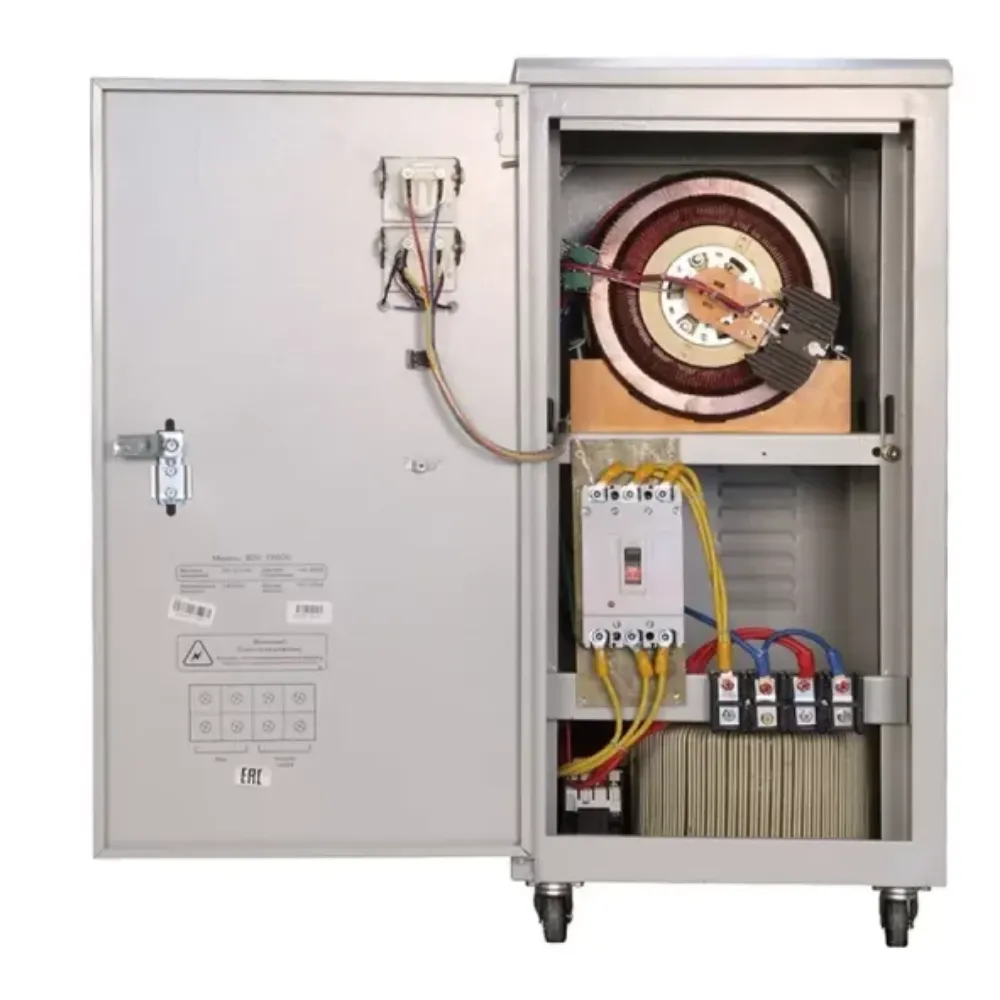
Give the next person enough to start
A voltage stabilizer troubleshooting record should let someone who was absent reconstruct what happened. Put the model and the most recent event at the top. Use the exact words from the panel and list earlier events in order. A photo from a safe location can help if the screen has symbols that are hard to describe.
| Item | What to include |
|---|---|
| Equipment identity | Asset tag, full model, serial number, and manual revision if known |
| Event | Local time, alarm text, state before the event, and current state |
| Supply and output | Clearly labeled displayed readings and any existing authorized measurements |
| Load | Equipment that was running, startup or shutdown activity, and recent changes |
| Actions already taken | Who took each approved action and what followed |
| Missing evidence | Information the service team still needs to confirm |
If the equipment paperwork is incomplete, ask the supplier to identify the right manual from the full model. Schneider Electric’s Line-R documentation, for example, names LE600I and LE1200I in the title. A model-matched document is the starting point for interpreting the unit’s indications.
Make the voltage stabilizer troubleshooting record easy to scan. Put current status and the next person responsible for the check above the event history. If a later shift adds information, ask it to mark the time of the observation. Keep earlier entries in place so the service team can see how the picture changed.
Set out what the technician needs to verify
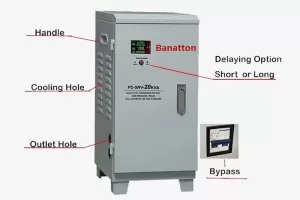
The next step in voltage stabilizer troubleshooting may be to compare the event with a supply record, verify load behavior, or review how the protection operates on the installed model. Agree on who has the authority to do that work. If the unit has bypass, ask the responsible technician to identify what that mode means for the load under the approved site plan.
Illustrative scenario. A facility has repeat trips during a shift change. Its notes show the same alarm on different days and identify which line was starting.
No approved record of peak demand exists. The supervisor hands over the timeline and flags that gap for the electrical team. The handoff gives them a question to investigate without naming a faulty part.
Share your voltage stabilizer troubleshooting record with Banatton when requesting help with the model documentation. Include what happened, what the site team has already checked, and what still needs confirmation.
Frequently asked questions
Why is my stabilizer on but giving no output?
A display can be active during a documented startup delay or a protective state. Start voltage stabilizer troubleshooting by recording the mode, the exact alarm and any countdown. Compare that information with the matching manual and report an unexplained or persistent loss of output.
What does an overload light mean?
Use the model’s manual to identify what triggers that indicator. Record the connected load and whether a machine had just started.
In voltage stabilizer troubleshooting, the indicator and the load history go together. A brief peak and a sustained load can give the service team different questions to check.
Is a delay normal after power returns?
Some units delay output under stated conditions. Use the documented behavior for the actual model and setup. If the state continues beyond what the manual describes or the display shows a different alarm, include it in the voltage stabilizer troubleshooting record and ask the site team to review it.
What should I report if the stabilizer trips again?
Give the technician the time of each trip, the load state, and the exact device that operated if you can identify it from a safe position. Report whether power was restored in between and who approved the action. Leave further energizing decisions to the responsible qualified person.
What if the unit looks normal when service arrives?
Add the time it returned to its usual state and note whether the load was running then. A voltage stabilizer troubleshooting record can show that an event cleared before anyone could inspect it. Keep the earlier alarm and load records so the technician can compare them with current conditions.
Decide what to do next
Use voltage stabilizer troubleshooting to separate an expected state from an unresolved problem. If the panel state matches the model manual and the site procedure, log what you observed. If the state remains unexplained, send the timeline, model information, and load details to the responsible technician.
For smoke, damage, or repeated trips, follow the site’s stop-use and reporting process.
A complete voltage stabilizer troubleshooting record ends with a clear handoff. Identify who owns the next check and what evidence they need before the equipment can return to service. Contact Banatton with the model and event record if you need help locating product information for that review.